
Libraries in Verawood: Build Smarter, Collaborate with Confidence#
Verawood brings a wave of improvements to Content Libraries — from how you find and add library content in Studio, to how you manage publishing and track changes over time.
Add library content right from the sidebar. A new “Add Existing” tab in the Add sidebar lets course authors search and browse library content without leaving their workflow. On the Course Outline, you can filter by library and drop blocks directly into a subsection. On the Unit page, you can search, preview a component before adding it, and insert it into your unit in one click.
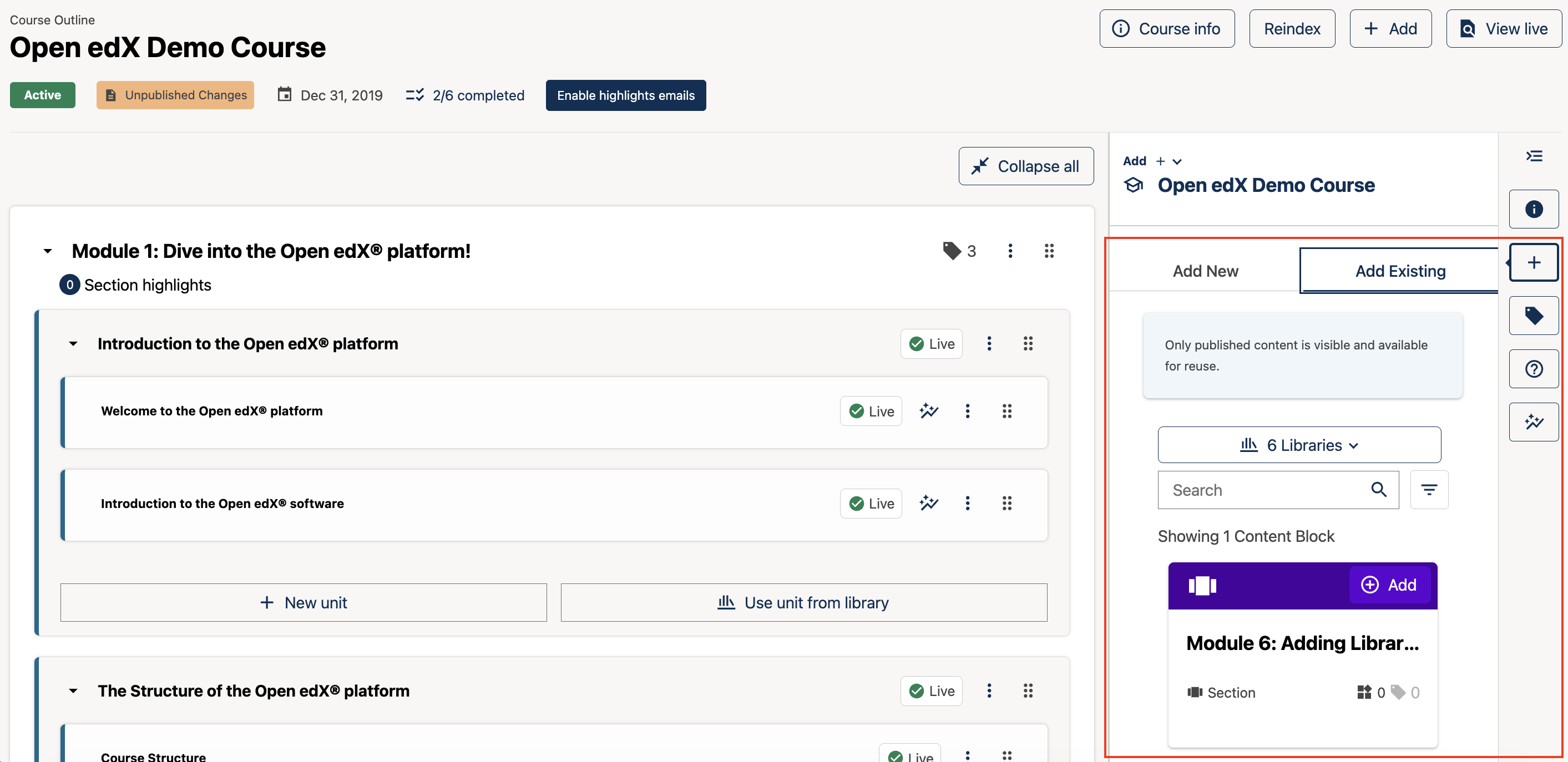
The “Add Existing” tab lets you browse and insert library content from the sidebar.#
Clear signals when you’re working with library references. Course elements sourced from a library are now clearly labelled as “Library References” on the Studio Course Outline and Unit pages and in the new Info sidebar — so authors always know what’s linked versus what’s native course content. The Add sidebar also gracefully handles library-referenced course elements, disabling the add controls and explaining why.
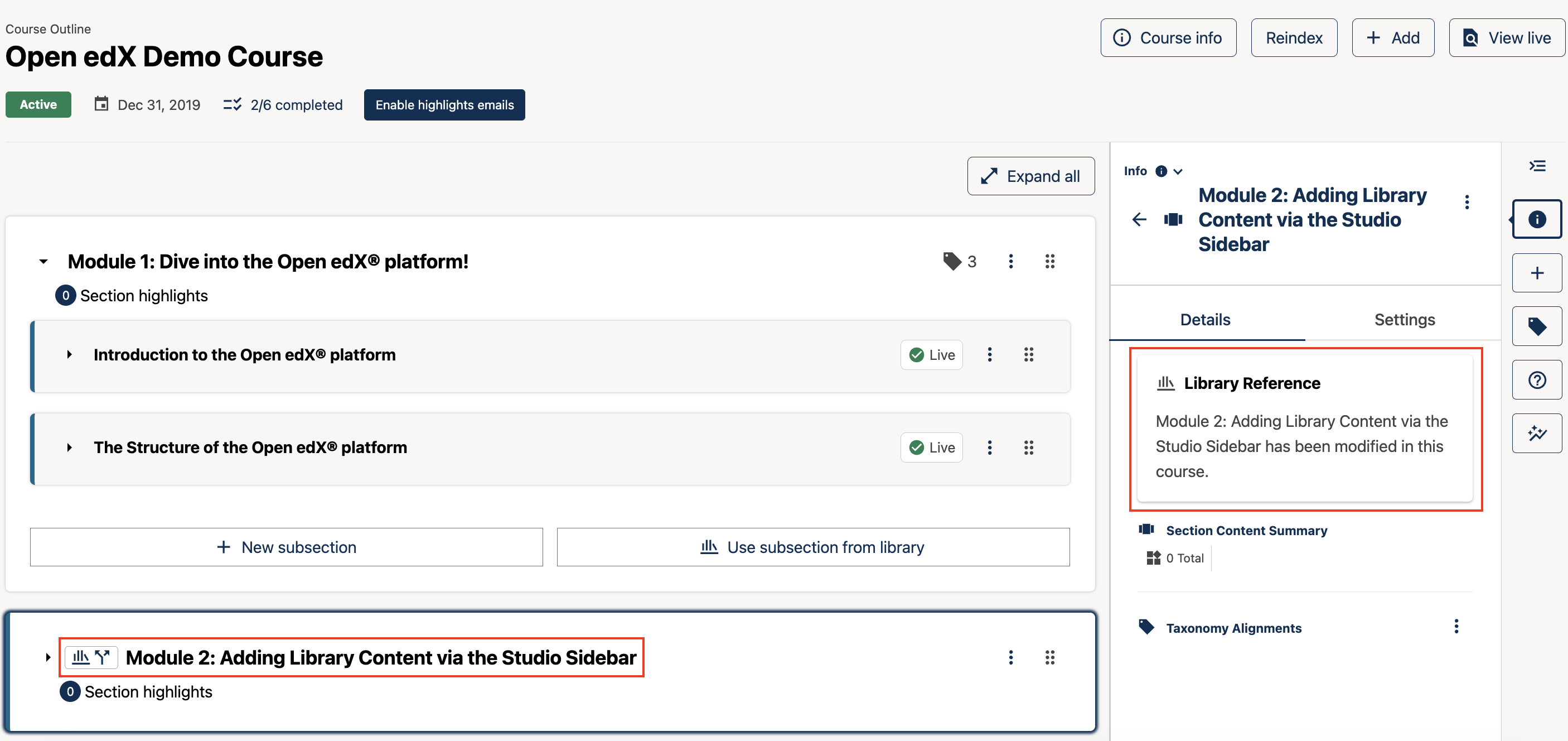
Library-sourced elements are clearly identified throughout Studio.#
Safer publishing for multi-author teams. A redesigned publishing workflow prevents you from accidentally shipping a colleague’s in-progress changes. Publish confirmations now surface all contributors and show which courses — direct and indirect — will be affected.
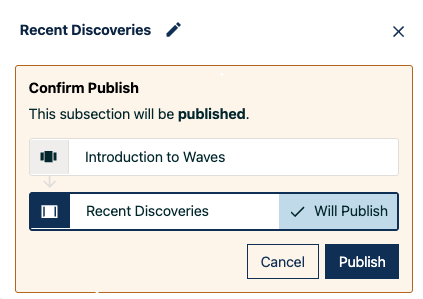
The publish confirmation lists contributors and affected courses before you confirm.#
Full content history in the sidebar. A new timeline in the Info sidebar logs creation, edits, and publishes for each library object. A diff view lets you compare the current state against any previous version, using the same familiar interface as course sync confirmations.
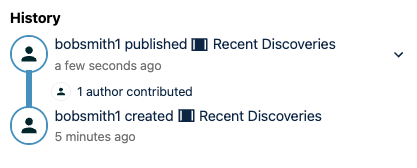
The history timeline lets you review and compare past versions of library content.#
See also
Open edX Verawood Release - Product Release Notes (reference)
Open edX Verawood Developer & Operator Release Notes (reference)
Maintenance chart
Review Date |
Working Group Reviewer |
Release |
Test situation |
2026-07-30 |
Product WG |
Verawood |
Pass |