
Updates to LTI and Notifications#
LTI Improvements#
LTI Reusability#
LTI consumer XBlocks can now be duplicated and copy/pasted.
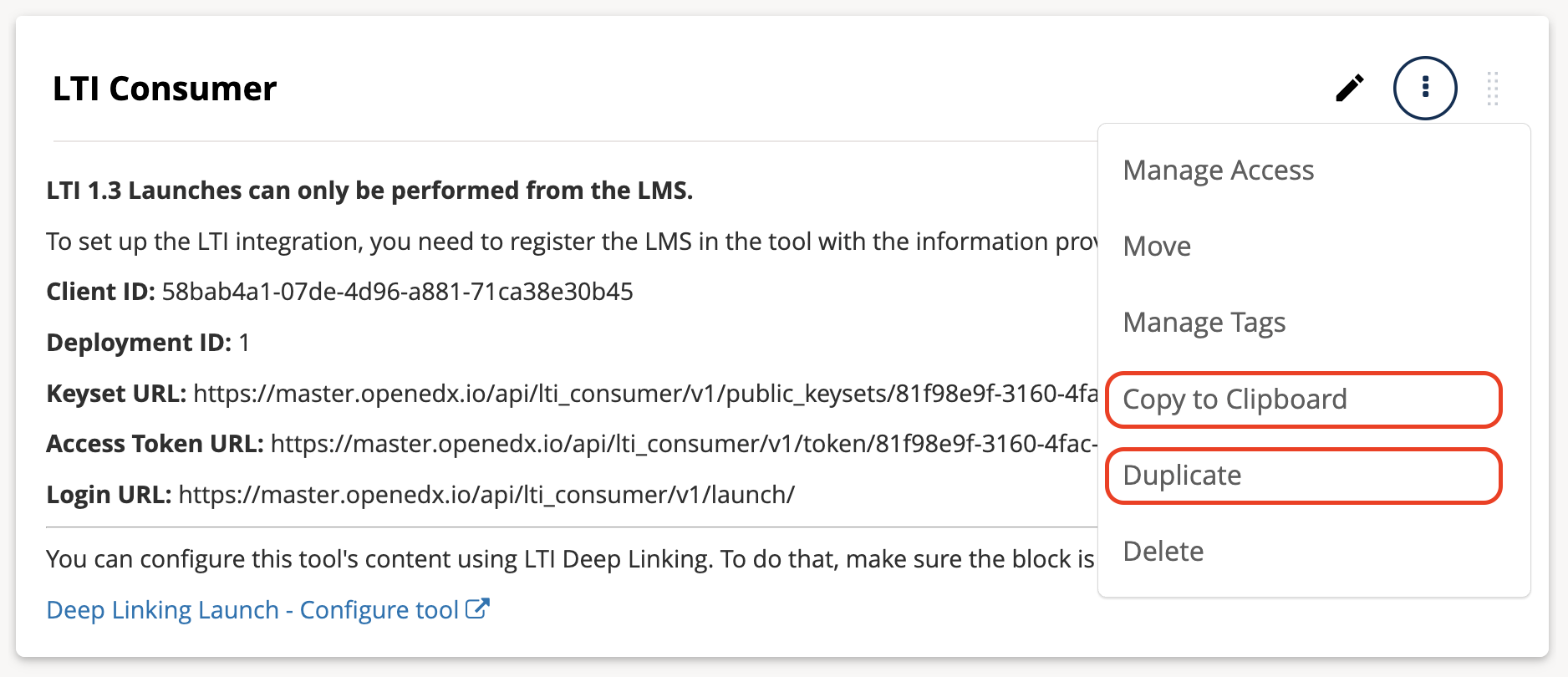
After an LTI consumer XBlock has been fully configured, you can create copies of it in any course on your site and it will continue to work.#
LTI Setup#
The LTI setup experience in Studio is now easier to navigate. Settings are organized in tabs, and additional options appear only when they apply to the selected configuration — LTI 1.1 and 1.3 setup now uses progressive disclosure instead of a long flat list of settings. LTI 1.3 also includes several reliability improvements.
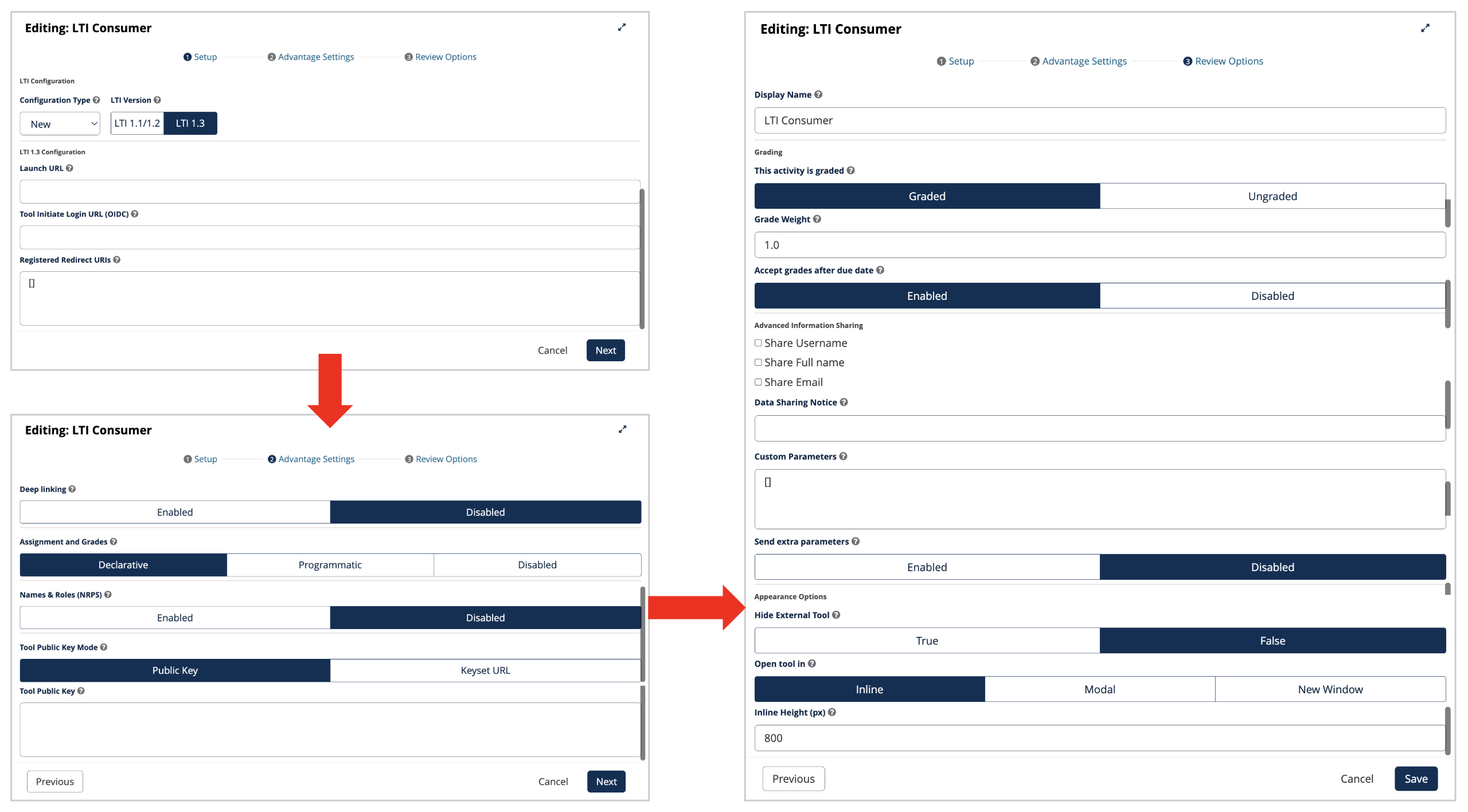
The “progressive disclosure” interface. Setting up an LTI block now involves three, easier to manage screens: “Setup”, “Advantage Settings”, and finally, “Review Settings”.#
Notifications Improvements#
LMS Notifications#
Learners now receive reminders for open response assessments (ORA) in the notification tray and by email.
A buffering mechanism for immediate email notifications has been introduced, consolidating multiple notifications into digest emails to reduce noise for learners who would otherwise receive a high volume of individual messages.
Previously, learners had no way to unsubscribe from notifications on forum posts they had authored or replied to. Learners can now opt out of notifications for new responses and comments on their own posts.
Studio Notifications#
The notifications tray is now visible in Studio, giving course authors better visibility into course activity while they work.
See also
Open edX Verawood Release - Product Release Notes (reference)
Open edX Verawood Developer & Operator Release Notes (reference)
Maintenance chart
Review Date |
Working Group Reviewer |
Release |
Test situation |
2025-07-30 |
Aamir Ayub |
Verawood |
Pass |