
AI Extensions Framework#
The Open edX AI Extensions plugin is now publicly available. The plugin is compatible with Teak and Ulmo as well as Verawood — this is the first release with public release notes.
The framework brings AI capabilities to the Open edX platform: for learners asking questions, for educators building content, and for platform operators who want control over how AI behaves in their courses.
AI Assistant for Learners#
Learners can chat with an AI assistant directly inside a course unit. The assistant understands the content of the unit and can answer questions, clarify concepts, and maintain a conversation across multiple turns — without the learner leaving the page.
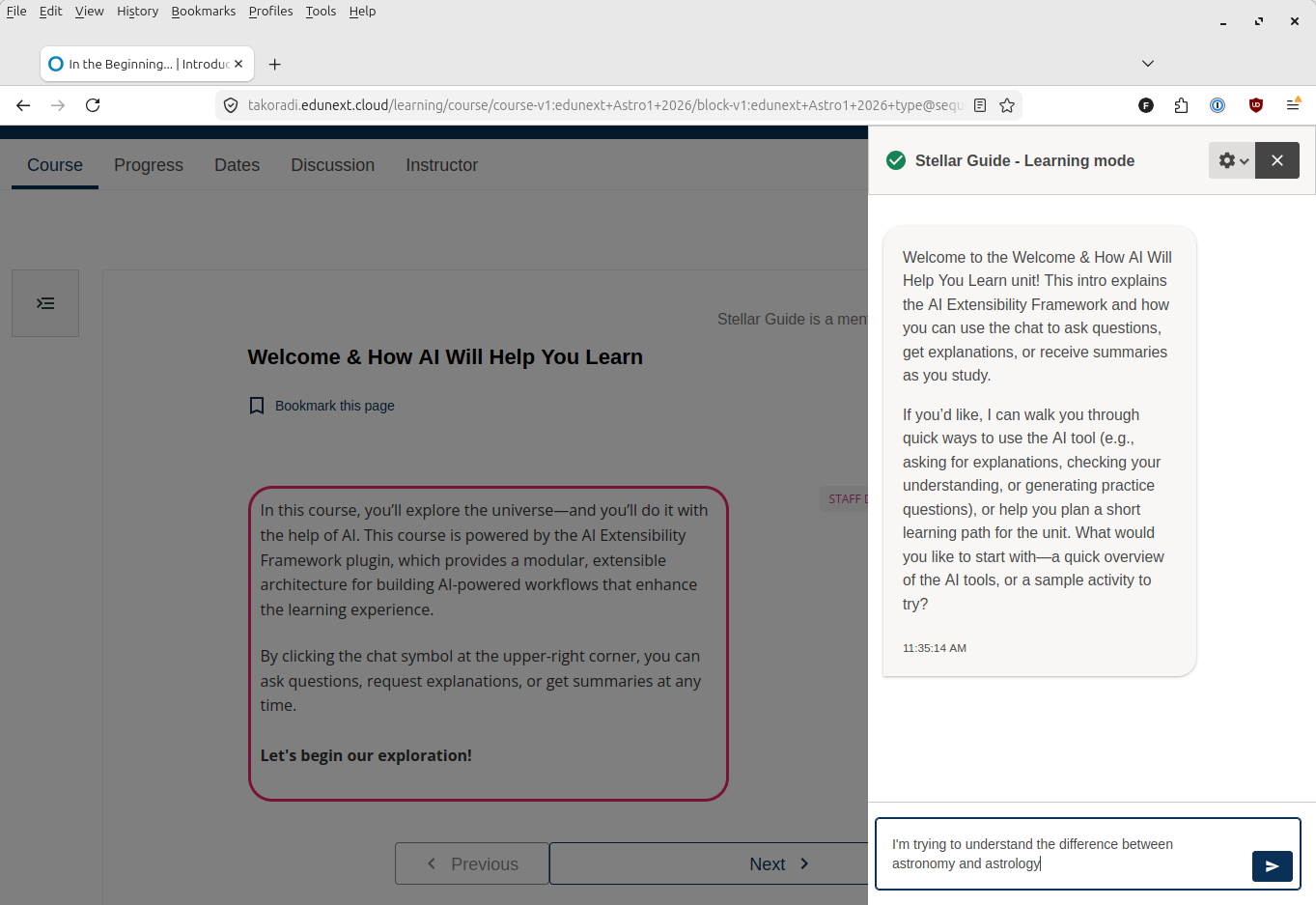
Platform operators configure which courses and units have the assistant available, and what the AI is instructed to do.
AI Assistance for Educators#
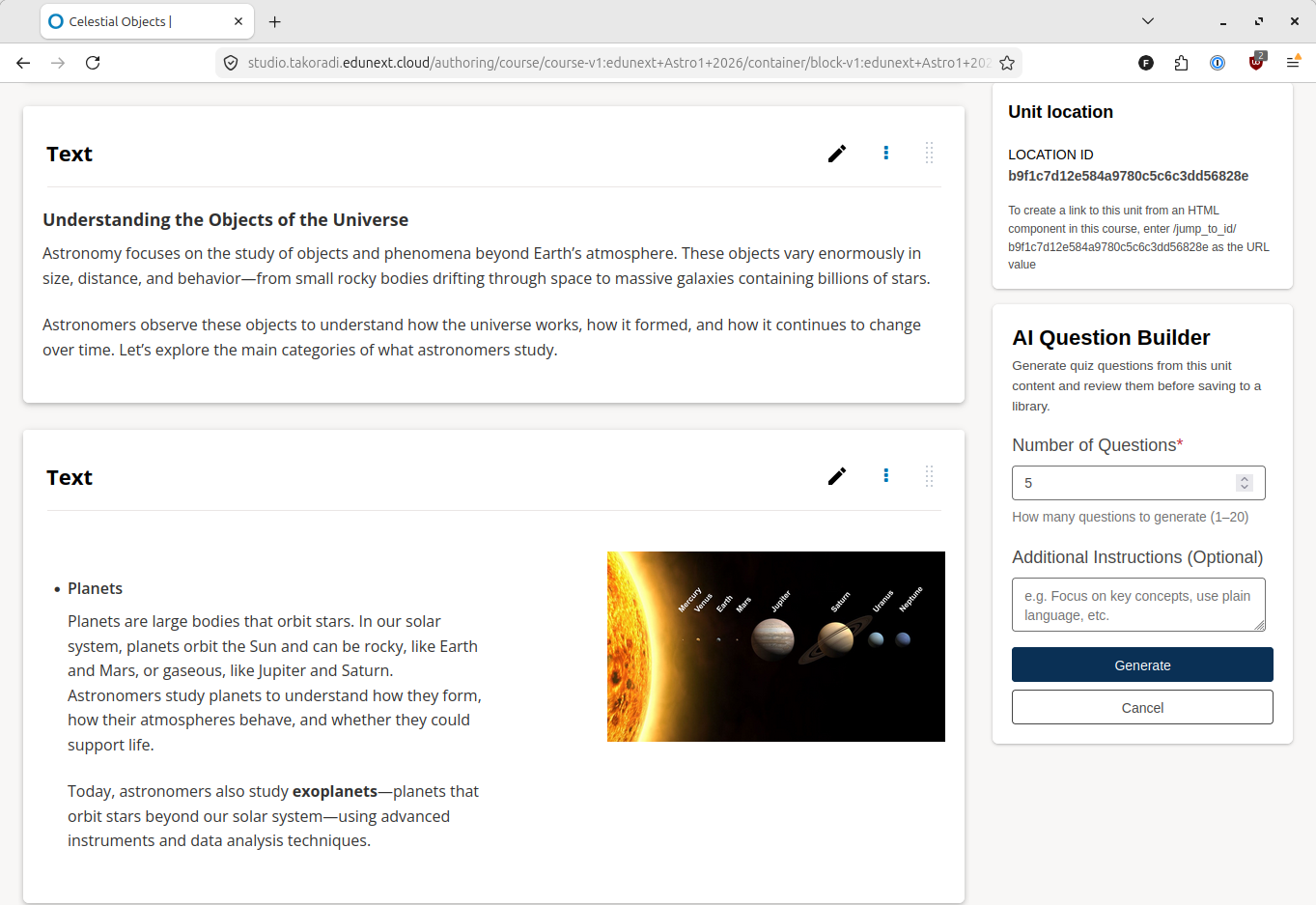
Course authors in Studio can use AI to generate multiple-choice questions from unit content. Generated questions are saved to a content library for review, editing, and reuse across courses.
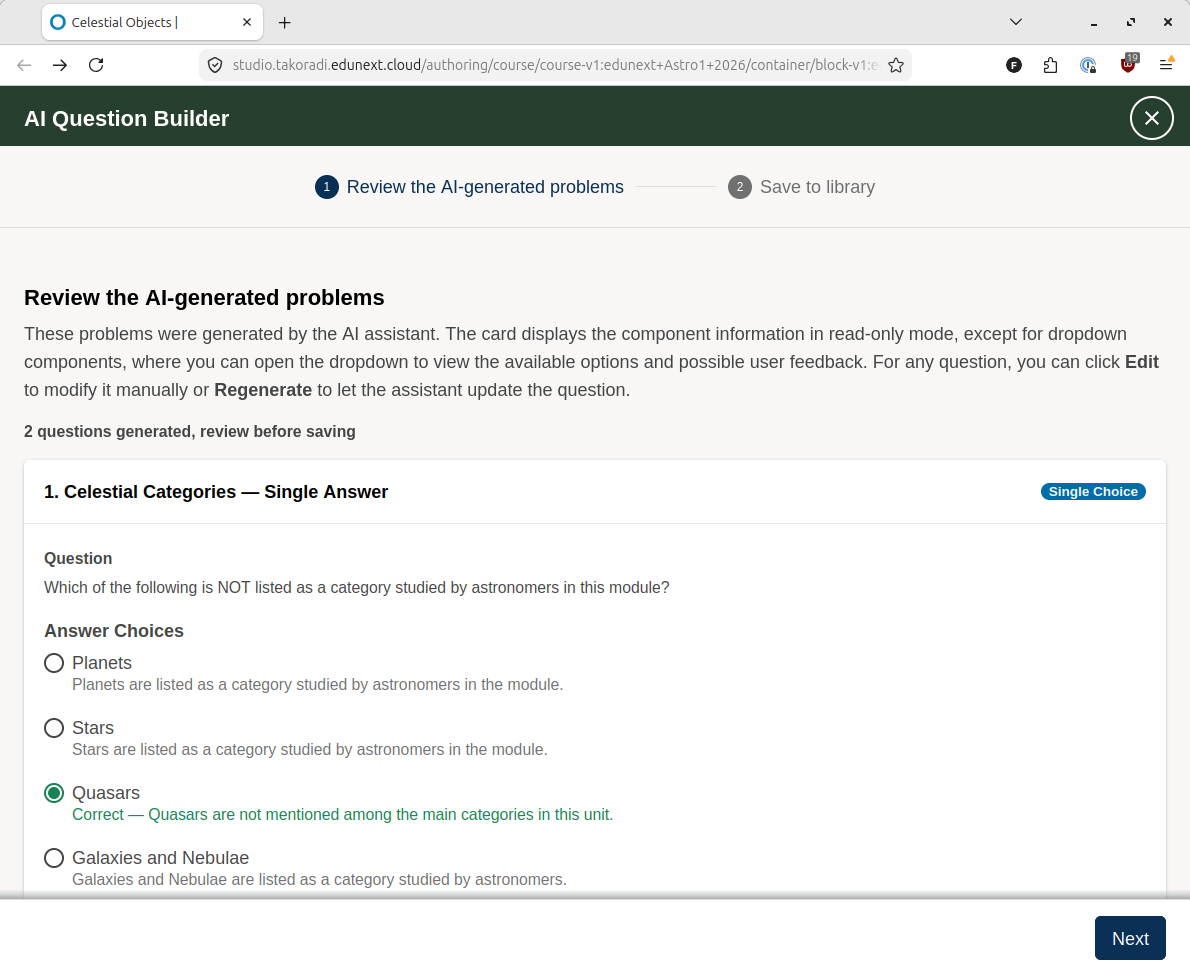
Once questions are generated, a screen appears allowing human review and editing of the AI-generated questions. Authors may also choose to regenerate the question(s) using the same prompt.
The assistant runs in the Studio course outline sidebar and works with Open edX Content Libraries, so authors can build up a bank of reviewed, AI-drafted questions over time.
Configurable by Design#
Every AI behavior in the framework runs from a prompt template — the instructions that tell the AI what to do and how to respond. Operators set the defaults; course authors can adjust them per course when the operator allows it.
This means the same framework can power a general-purpose learning assistant in one course and a subject-specific tutor in another, all through configuration. No two deployments need to behave the same way.
Managing AI Workflows in Studio#
Verawood adds a Workflows tab to the AI Extensions card in Pages & Resources. Course authors can now see every AI profile active in their course, where each one runs, and the prompt template guiding it — all without needing Django admin access.
When a platform administrator has enabled editing for a profile, authors can update the prompt text directly from Studio. The interface shows how many profiles use a given template, so authors know how far a change reaches before saving.
Platform operators still create and configure profiles, scopes, and providers through Django admin. The Workflows tab brings that configuration into view for course authors.
Flexible Provider Support#
The framework works with OpenAI, Anthropic, and self-hosted models via Ollama or
vLLM. Operators configure providers in config.yml in Tutor and reference them
from workflow profiles. Switching providers or running different models for
different courses requires only a configuration change — no code.
Built to Be Extended#
The framework is open for extension. openedx-ai-badges is one example — it
adds badge-related AI workflows by registering new components into the same
framework, without touching the core plugin. Its Flashcards and AI Badges
features are available for early testing, though both are still under active
development and not recommended for production use yet.
Anyone can build on the same pattern. The source code shows how to register new workflow components, add Studio tabs, and wire up custom AI behaviors.
Getting Started#
See the AI Extensions documentation to get up and running:
Configuration Guide — install the plugin and configure a provider
Usage Guide — create your first profile and scope
Customizing Prompts — tailor the AI’s instructions per course
See also
Open edX Verawood Release - Product Release Notes (reference)
Open edX Verawood Developer & Operator Release Notes (reference)
Maintenance chart
Review Date |
Working Group Reviewer |
Release |
Test situation |
2025-07-30 |
eduNEXT |
Verawood |
Pass |